
Store settings management
for smooth operations.
Connect payment gateways, add a custom domain, set up shipping rates, and manage every store configuration from one panel.
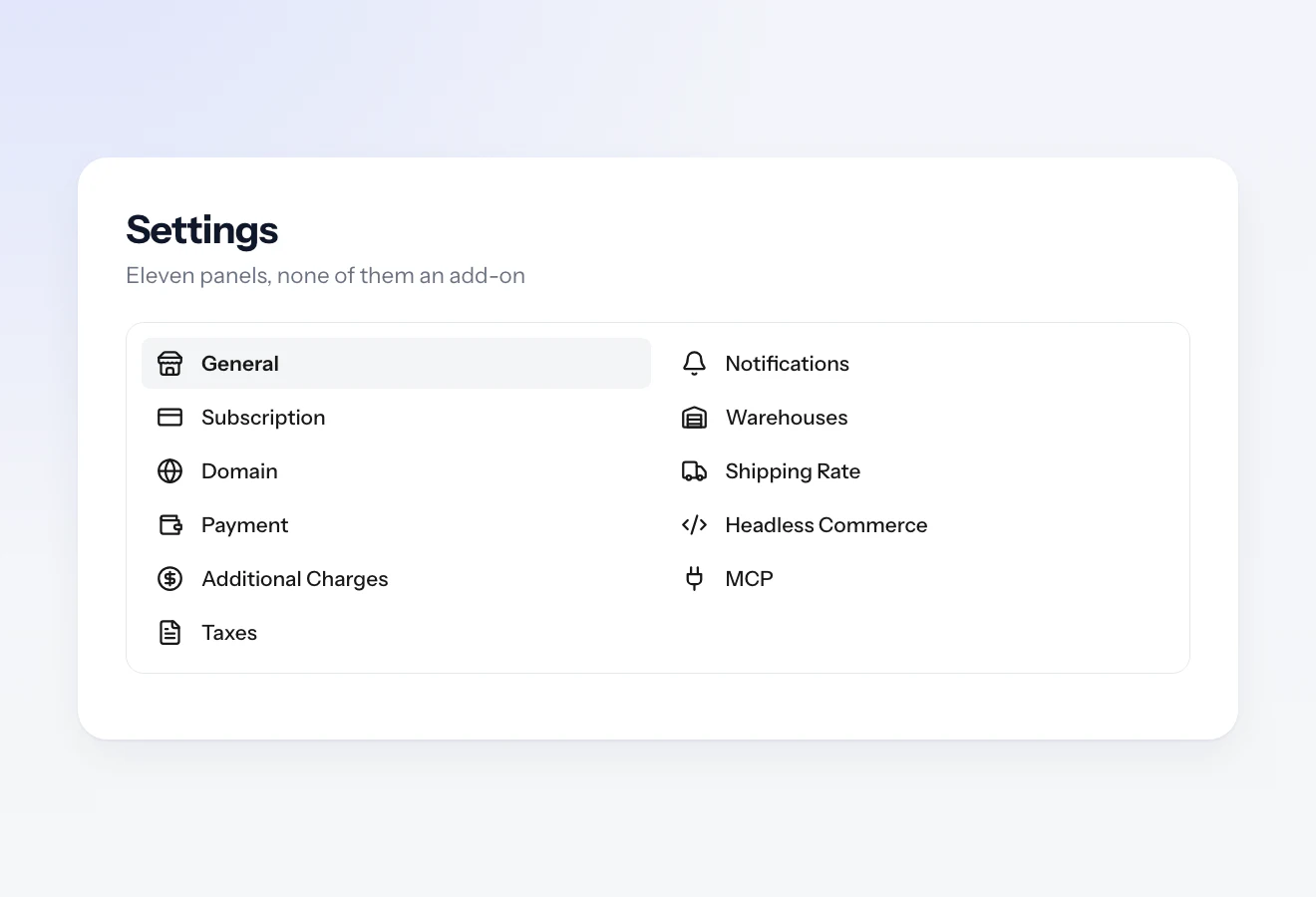
The settings sidebar, from domain and payment through to headless and MCP.
Everything a store needs
already has a panel.
Eleven of them, in fact. These are the three you touch on day one.
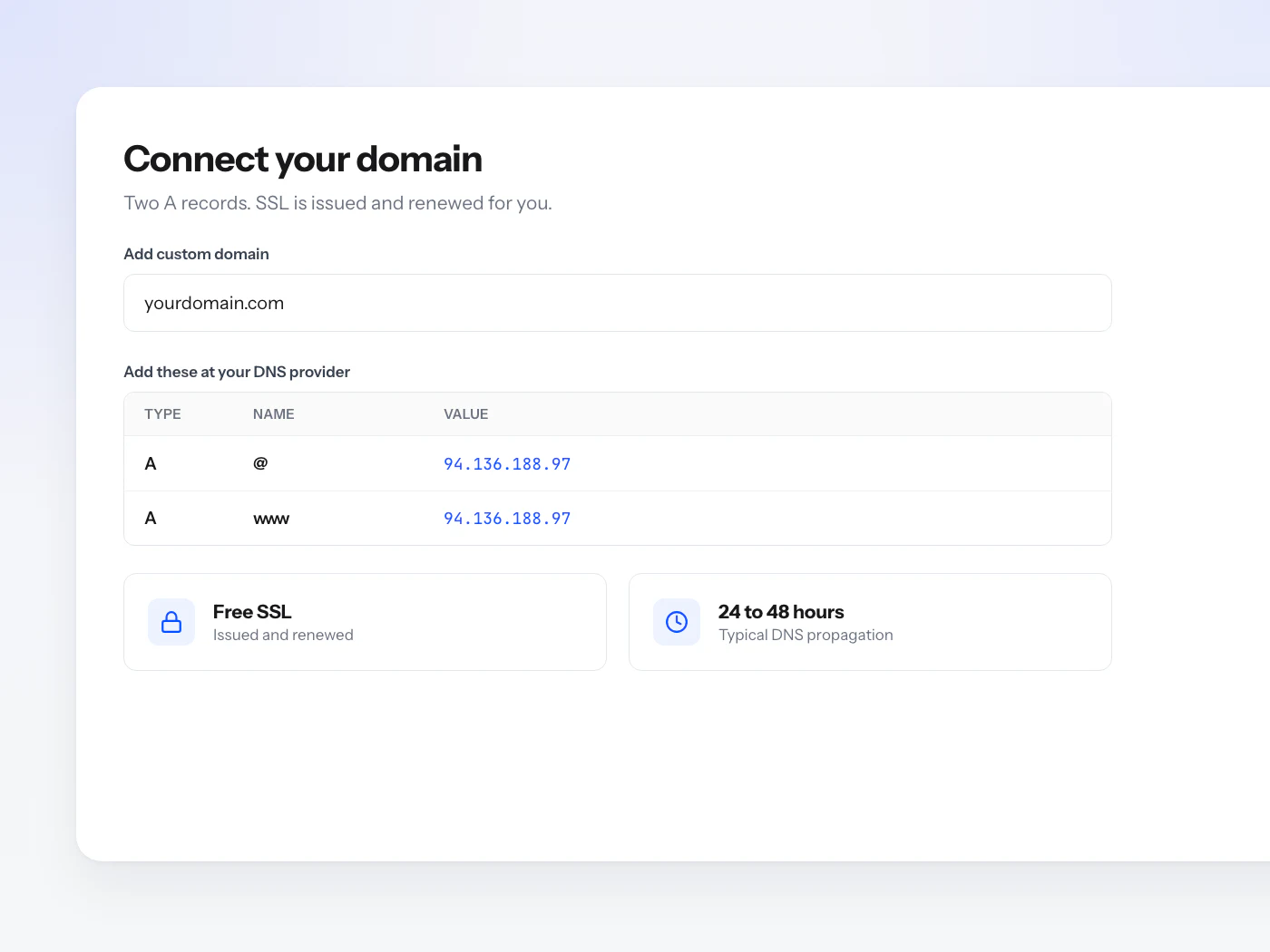
Your own domain
Every store gets a free orderain.com subdomain. Add two A records to use your own instead, and SSL is issued and renewed for you.
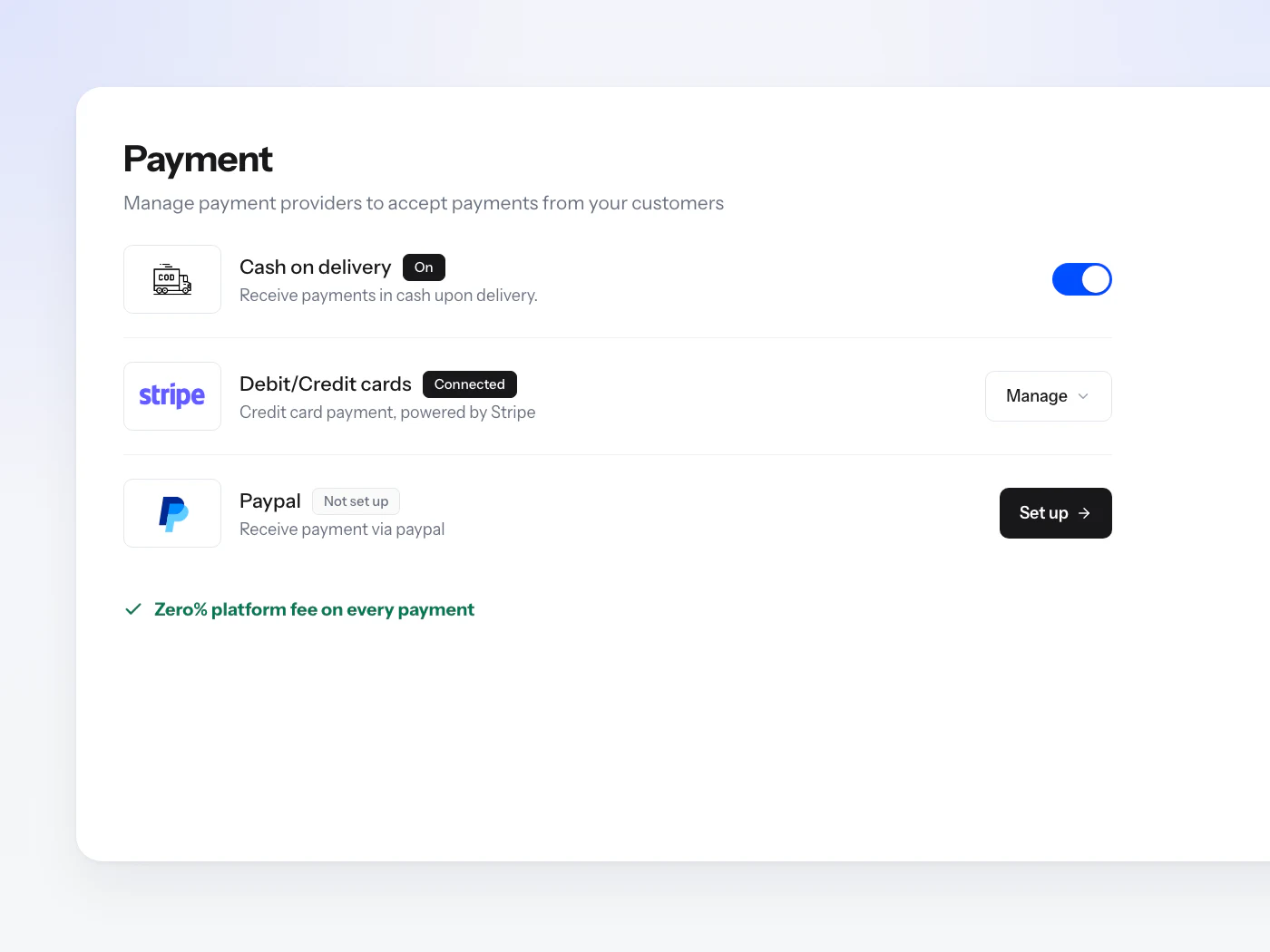
The ways you get paid
Cash on delivery is a toggle, Stripe and PayPal are a short setup each, all three on one screen. Orderain takes Zero% of any of them.
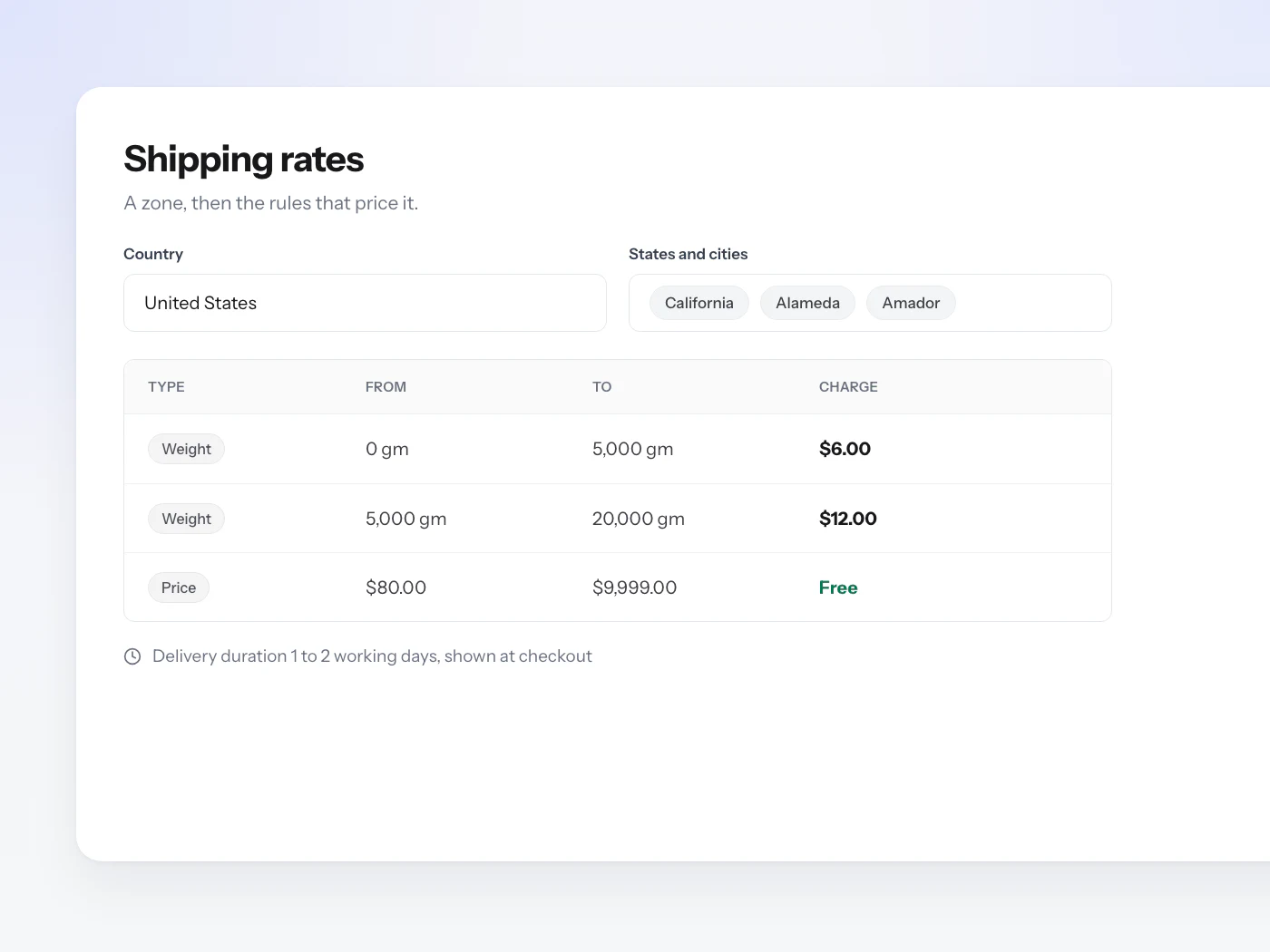
What shipping costs
Draw a zone down to the city, then price it by weight, by order total, or one flat rate. Free over a threshold is one rule, not a plugin.
What people ask
while setting up.
What can I configure in store settings?
Eleven panels: General, Subscription, Domain, Payment, Additional Charges, Taxes, Notifications, Warehouses, Shipping Rate, Headless Commerce and MCP. None of them is a paid add-on or a separate app you install.
How do I connect my own domain?
Add two A records at your DNS provider, one for the root and one for www, both pointing at the IP the Domain panel shows you. SSL is issued and renewed for you, and DNS usually propagates within 24 to 48 hours. Until then your free orderain.com subdomain keeps serving the store.
Which payment methods can I take?
Cash on delivery is a toggle. Stripe covers debit and credit cards, and PayPal is its own connection, each a short setup from the same screen. Beyond those three you can browse the Payments category in Plugins for other providers. Orderain takes Zero% of any of them, so what you keep is whatever your processor does not.
What if I want a provider that is not in the Payment panel?
Open Plugins and filter to Payments. Manual Payment is there today, which lists your bank accounts at checkout so customers can transfer and you confirm each order once the money lands. The rest of the payment catalog, from Square and Adyen to Klarna and Mercado Pago, is listed as coming soon rather than installable.
How do shipping rates work?
You draw a zone by country and narrow it to the states and cities you actually deliver to, then price it with rules. A rule prices by weight in grams, by order total, or Always for one flat rate. The first rule that fits a cart is what the customer pays, and the delivery duration you set is shown at checkout.
Can I charge tax and other fees?
Yes. Taxes are a named percentage applied to every order. Additional Charges are separate and can be a fixed amount or a percentage, so packaging or a service fee is its own line rather than something buried in your prices.
Can I hold stock in more than one place?
Yes. Warehouses are set up here, and inventory is held per location rather than as one pooled number, so each order is fulfilled from the warehouse you pick.
Can I run my own storefront or connect an AI assistant?
Both have a panel. Headless Commerce runs your own front end on the Orderain API, with the origins that may call it and the tokens they authenticate with set by you. MCP connects Claude, ChatGPT, Grok or Cursor to the shop in plain language, with tokens you can revoke the moment you want access cut off.
Does any of this cost extra?
No. Every panel here is included on any paid plan, with Zero% platform fees on what you sell. The only thing you pay for beyond the plan is what a payment processor charges to move the money.
Configure everything in minutes.
Then start selling.
Payments, domain, and shipping set up in one pass. Zero% platform fees, always.